VenetianBlinds.js: text sampler for humans and AI
A simple CLI script to get an overview of a file
Get a quick, evenly spaced look through a text file.
Github: https://github.com/firasd/venetianblinds
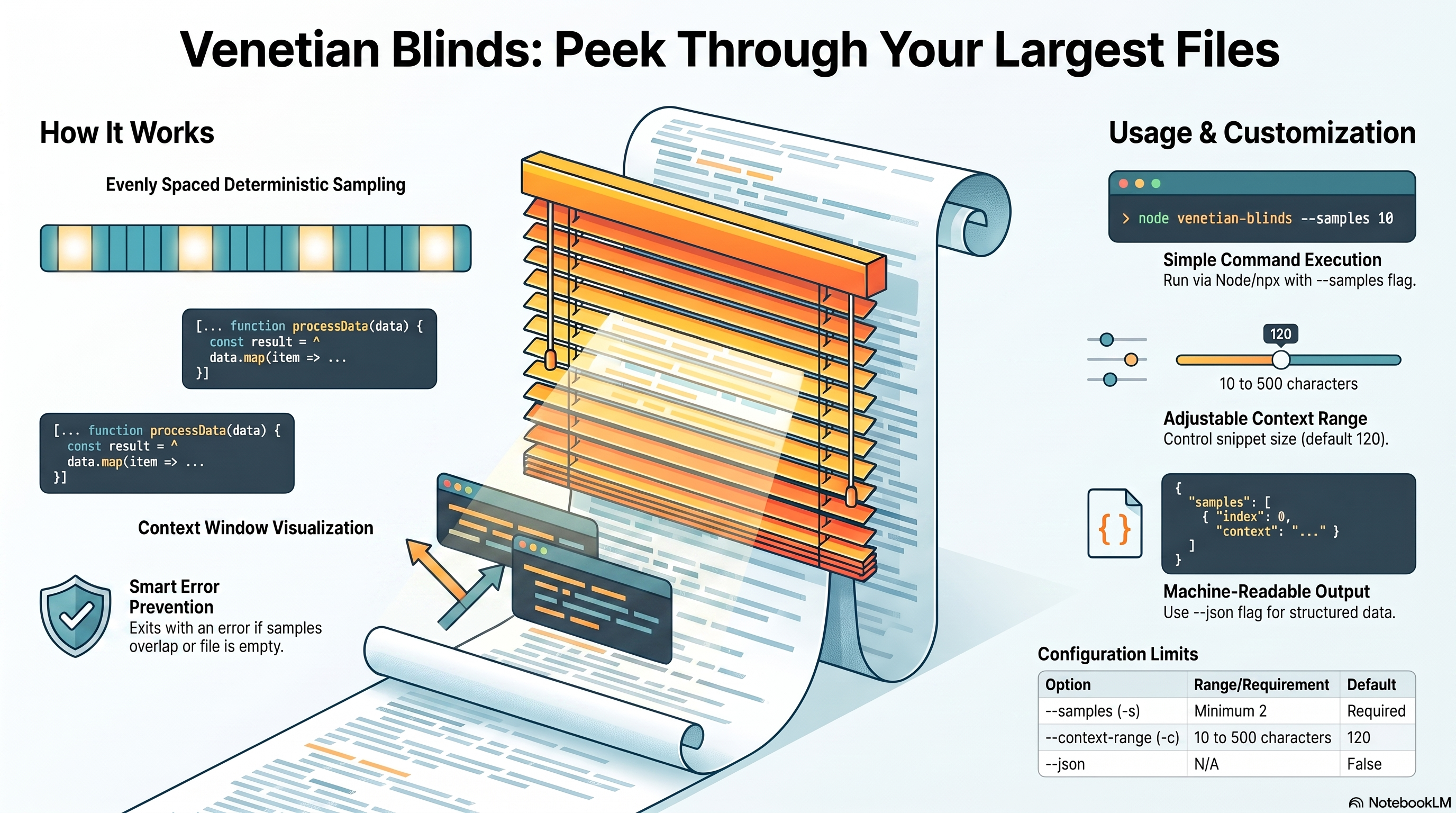
venetianblinds samples a file from beginning to end and prints a small context window around each sampled character position. It is meant for those moments where head and tail are not enough: scraped DOM dumps, logs, source files, generated blobs, exported transcripts, or any other text where you want to peek through the whole thing without opening all of it.
The first character and final character are always included.
Usage
node venetianblinds.js --samples=12 path/to/file.txtAfter cloning from GitHub:
gh repo clone firasd/venetianblinds
cd venetianblinds
node venetianblinds.js --samples=12 ../some-file.txt
You can also run it directly through npx from the GitHub repo:
npx github:firasd/venetianblinds --samples=12 path/to/file.txtOptions
--samples, -s          Number of evenly spaced samples. Minimum 2.
                       Character 0 and the final character are always included.

--context-range, -c    Total characters to show around each sample.
                       Min 10, max 500, default 120.

--context_range        Alias for --context-range.

--json                 Emit machine-readable JSON.

--help, -h             Show usage.
Examples
Sample a play in 20 slices:
node venetianblinds.js --samples=20 macbeth.txtUse a wider context window:
node venetianblinds.js --samples=20 --context-range=300 macbeth.txtGet compact JSON for another script:
node venetianblinds.js --samples=8 --json reactdomroot.jsExample text output:
# venetianblinds
file: macbeth.txt
characters: 128338
samples: 5
context_range: 80

--- sample 2/5 char 32084 line 1192 col 10 range 32044:32124
ese deeds must not be thought
After these ways; so, it will make us mad.

MAC
         ^
Each sample reports:
sample number
character position
line and column
snippet range
snippet text
a caret marking the sampled position within its line
Sampling Rules
Samples are deterministic and evenly spaced over the file’s text. The tool uses Node’s UTF-8 file reading and JavaScript string positions, so reported character positions are JavaScript string indexes rather than raw byte offsets.
If the requested number of samples would cause overlapping character positions, the command exits with an error instead of silently duplicating samples. For an empty file, it also exits with an error.
Line numbers are best-effort helpers for humans. If the input is a browser DOM dump or minified file with everything on one line, the reported line number may simply be 1, while character position still gives the exact sampled location.
License
Unlicense.